Sun Shine Info
SunStaff logoSunStaff
Staff management app for restaurants

Your team's salaries, advances, loans and absences, in your pocket.

Record an advance or an absence in two taps. At the end of the month, SunStaff calculates what each employee is still owed, prepares payslips and gives you the figures that matter in a restaurant.

  • Phone and computer
  • Works offline
  • Month-end totals and statistics

Free on phone · online 15 TND/month →

Home – SunStaffMonth payroll – SunStaff
Features

All your staff tracking, paper-free

Team by station

Kitchen, floor, bar, cash desk, cleaning: each employee with role, salary, phone, ID card and social security number.

Advances

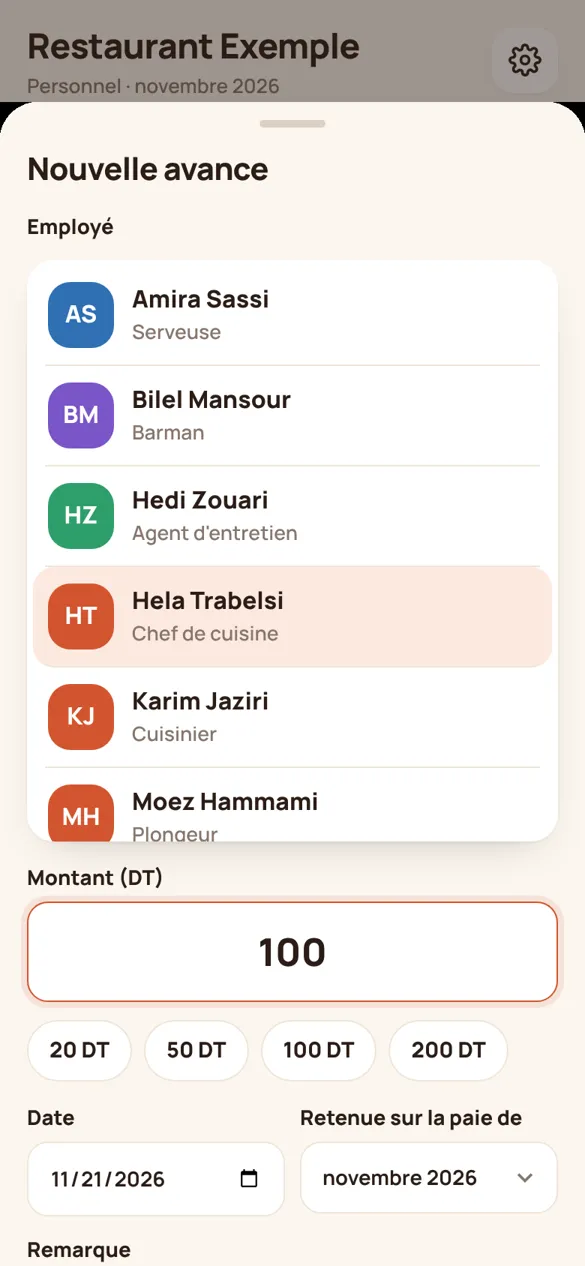
An advance in two taps, deducted automatically from the chosen month's pay.

Loans

A loan repaid a little each month: SunStaff deducts the instalment, tracks what is left and lets you skip a month.

Absences and lateness

Absence, sick leave, holiday, lateness in hours, over one or several days. You choose what is deducted from pay.

Bonuses and deductions

Performance bonus, overtime, breakage, cash shortage: everything added or removed in the right month.

Month-end payroll

Amount due per employee, month total, payslip to print or send on WhatsApp, month closing.

Restaurant statistics

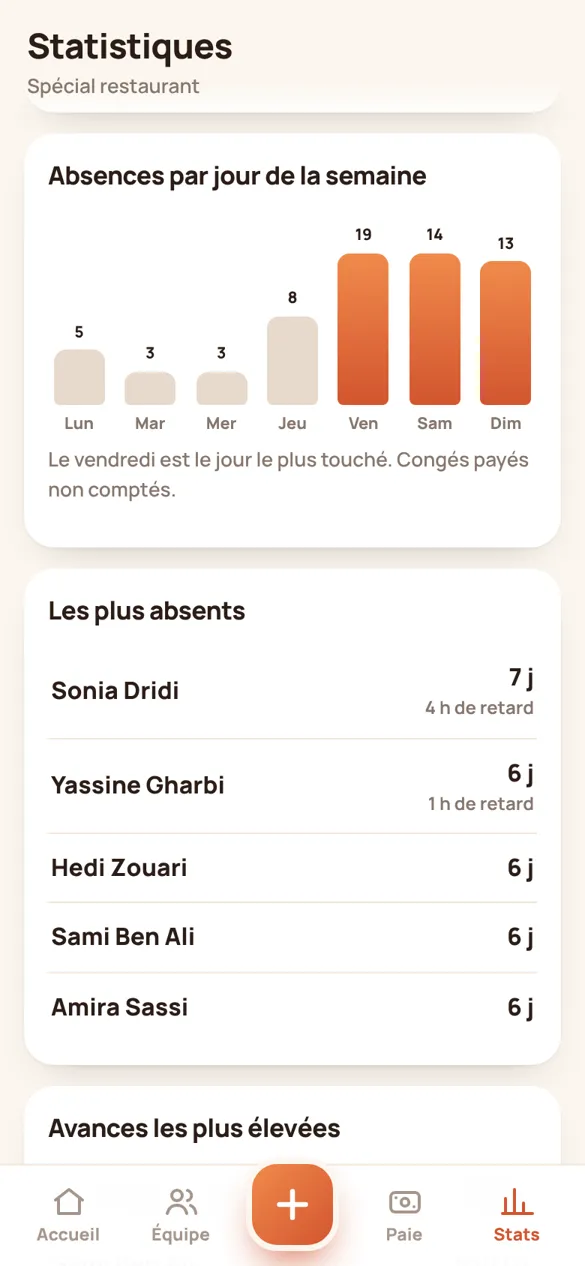
Wages as a share of revenue, staff cost per cover, absences by day of the week.

Simple and safe

Big buttons, lock code, backup. Installed on the home screen like a real app.
Screenshots

Discover SunStaff

Home – SunStaff
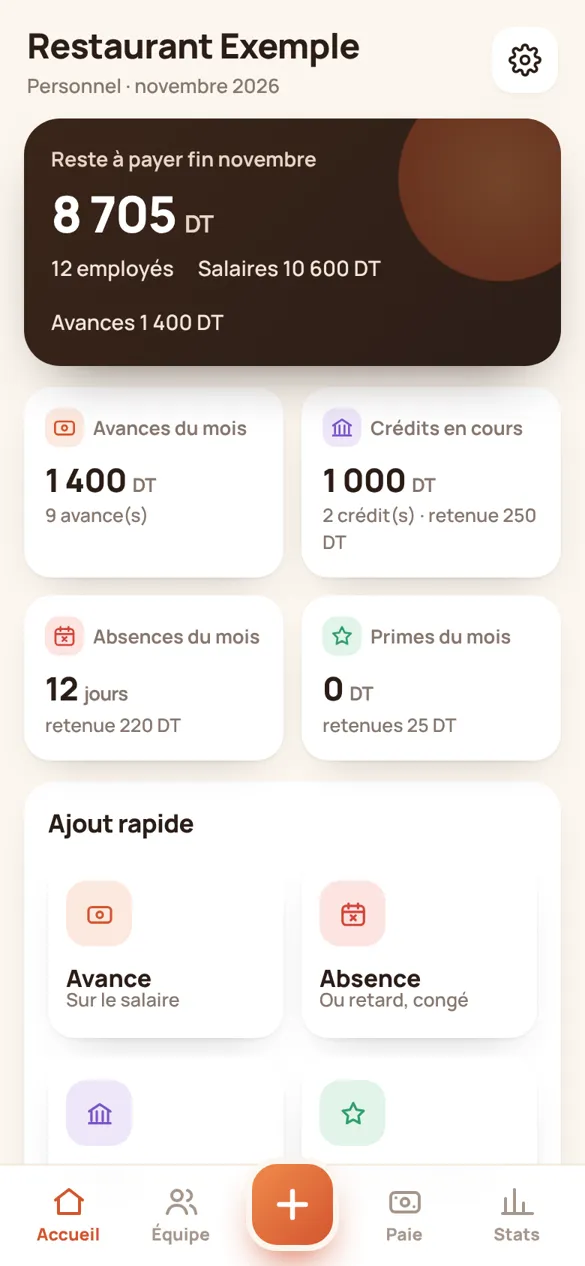
HomeThis month's amount due, advances, loans and absences at a glance.
An advance in two taps – SunStaff
An advance in two tapsPick the employee, the amount, done.
Employee page – SunStaff
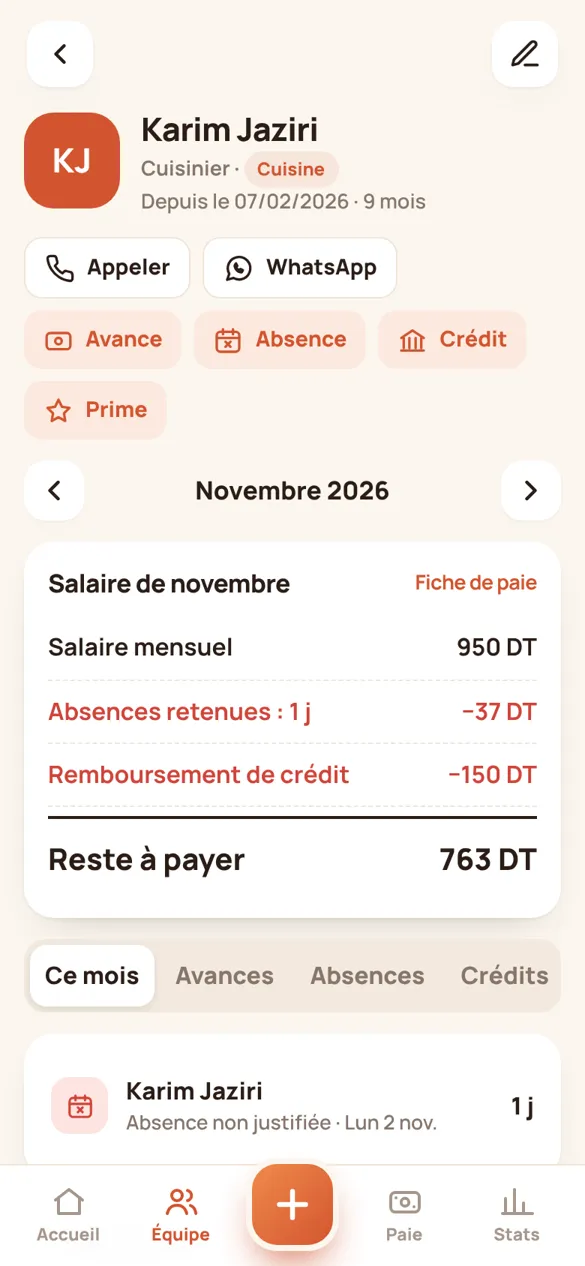
Employee pageThis month's pay calculated live, with advances, absences and loans.
Month payroll – SunStaff
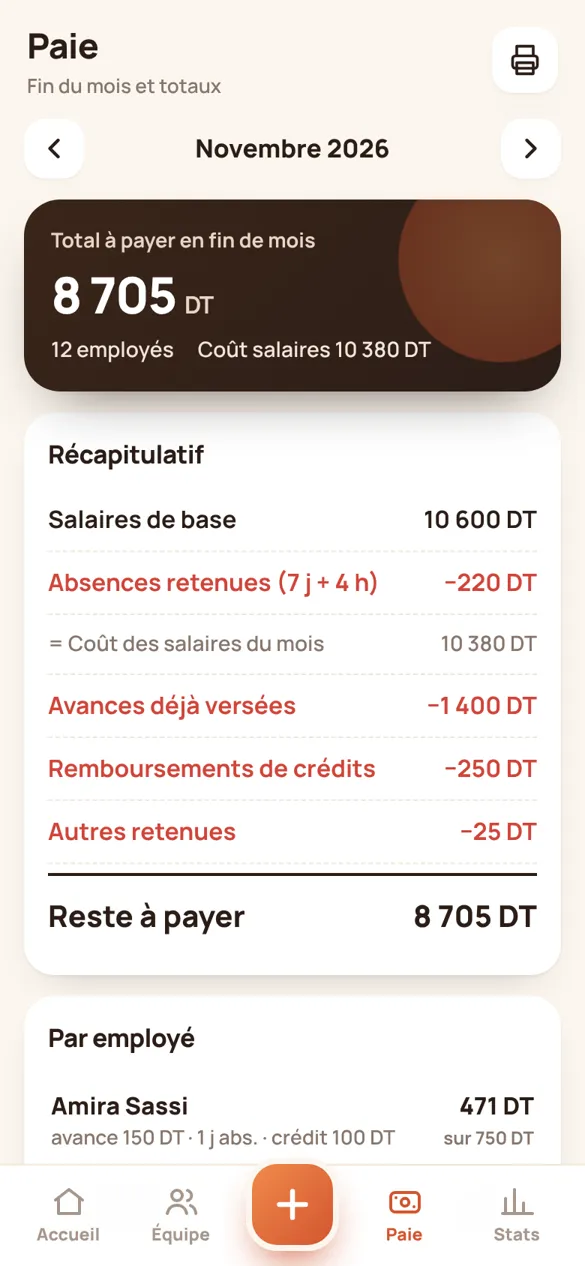
Month payrollTotal to pay and each employee's details, then month closing.
Statistics – SunStaff
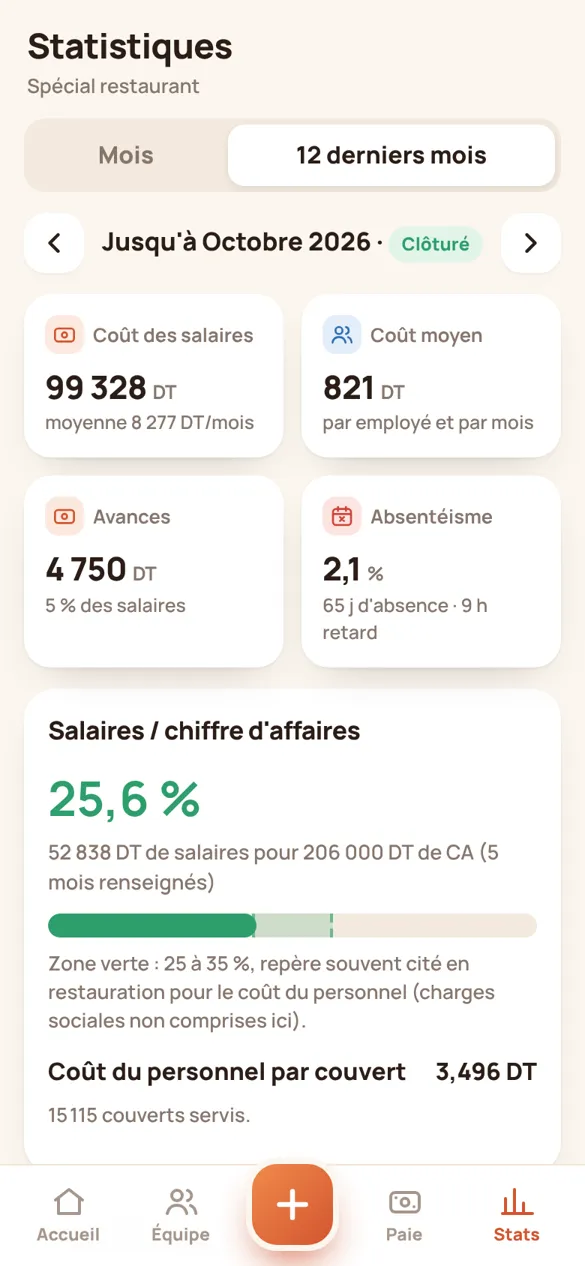
StatisticsWages to revenue, cost per cover, cost per station.
Absences – SunStaff
AbsencesBy day of the week and by employee: spot risky weekends.
Built for restaurants

The figures that matter for a restaurant

  • Wages as a share of revenue, with a 25–35% reference zone
  • Staff cost per cover served
  • Wage cost by station: kitchen, floor, bar…
  • Absences by day of the week (Friday, Saturday, Sunday)
  • Absence rate and most absent employees
  • Advances as a percentage of wages
  • 12-month trend, hires and departures
Statistics – SunStaffAbsences – SunStaff
Two ways to use it

On your phone or online: your choice

Phone only

Phone only, no account

Free

No account. Data stays on your phone and the app works without internet.

  • No sign-up
  • Works offline
  • Backup file to keep on WhatsApp or by email
Open the app
Recommended

Online

Online account

15 TND / month

or 150 TND / year 2 months free

  • Same data on several phones and on computer
  • Several users (you and your manager)
  • Automatic daily backup
  • Also works offline: sent when the connection is back
Request my account

14-day free trial for the online version

Online account

Request your online account

Leave your details: we create your trial account and email you your login.

Requirements

  • An Android phone or iPhone (or a computer) with a recent browser
  • Internet only for the online version
  • Interface in French

Frequently asked questions

Do I need to download it from an app store?

No. Open the SunStaff address in your phone's browser, then 'Add to home screen': it installs and opens like an app, even offline.

What is the difference between the free and online versions?

The phone-only version keeps data on the phone only. The online version also stores it on our server: available on several devices, for several users, with automatic backup.

How are absences calculated?

One deducted day of absence equals the monthly salary divided by 26 days (adjustable). You choose which absence types are deducted from pay.

Does the payslip replace the official one?

No. It is an internal document for you and your staff: it does not calculate social security or tax. It shows salary, deductions, advances and the amount due.

Can I move from the free version to the online version?

Yes. Log in to your account in Settings: the data on your phone is sent to the server, nothing to re-enter.